
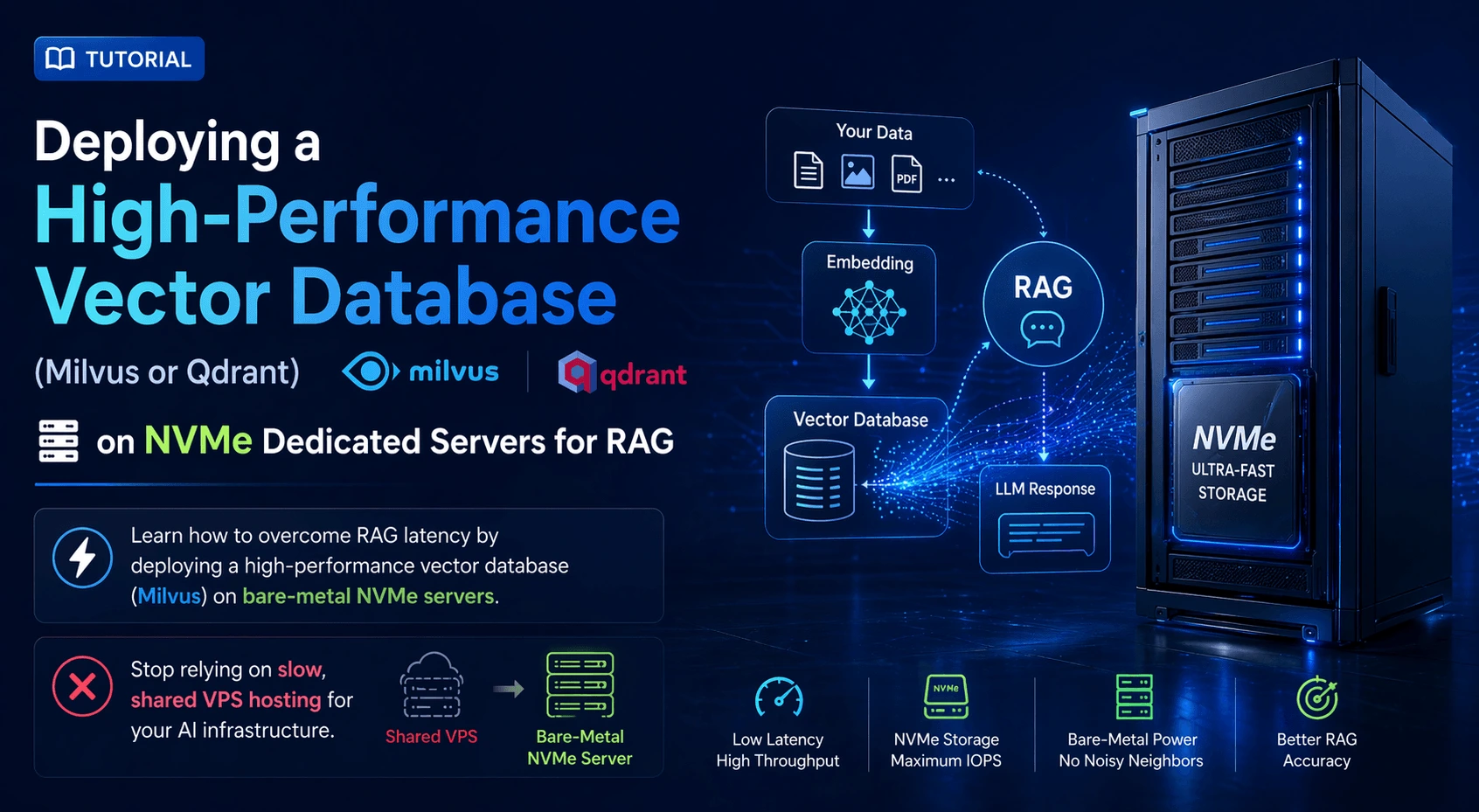
If your company is building generative AI applications in 2026, you are likely using Retrieval-Augmented Generation (RAG). RAG is the architecture that allows an LLM (like Llama-3 or GPT-4) to securely read your company's private documents, codebase, or customer data before answering a prompt.
The backbone of any RAG pipeline is the Vector Database. This is where your documents are converted into mathematical embeddings (vectors) and stored. When a user asks a question, the database performs a "similarity search" across millions of vectors in milliseconds to find the relevant context.
The Hardware Bottleneck: Vector similarity search is incredibly resource-intensive. It requires massive amounts of RAM and blazing-fast disk I/O. If you deploy a vector database like Milvus or Qdrant on a standard shared VPS, the "noisy neighbor" effect and slow hypervisor storage will cause severe latency spikes. Your AI chatbot will take 10 seconds to answer a question, ruining the user experience.
The solution is deploying your vector database on an iDatam NVMe Dedicated Server. By utilizing bare-metal PCIe Gen 5 NVMe drives, you bypass the virtualization tax and guarantee sub-millisecond query times, no matter how large your dataset grows.
What You'll Learn
Step 1: Prepare the Hardware and OS
Step 2: Install Docker and Docker Compose
Step 3: Configure the NVMe Storage Mount
Step 4: Download the Milvus Compose File
Step 5: Optimize the Compose File for NVMe
Step 6: Deploy the Vector Database
Step 7: Install Attu (The Milvus GUI)
Conclusion: Stop Bottlenecking Your AI
Step 1: Prepare the Hardware and OS
For a production RAG pipeline processing millions of vectors, we recommend a bare-metal server with at least 64GB of RAM and dedicated NVMe storage. In this guide, we are using Ubuntu 24.04 LTS.
First, connect to your server via SSH and ensure the system is fully updated:
sudo apt update && sudo apt upgrade -y
Step 2: Install Docker and Docker Compose
Milvus (and most modern vector databases) are best deployed as containerized microservices. This ensures all dependencies (like etcd and MinIO, which Milvus uses internally) are perfectly isolated.
Install Docker:
sudo apt install docker.io -y
sudo systemctl enable --now docker
Install Docker Compose (the plugin used to manage multi-container applications):
sudo apt install docker-compose-v2 -y
(Verify the installation by running docker compose version).
Step 3: Configure the NVMe Storage Mount
To get the performance benefits of your iDatam server, you must ensure Docker writes the vector data directly to your NVMe drive, not the standard OS drive (if they are separate).
Assuming your NVMe drive is formatted and mounted at /mnt/nvme-data (refer to our MinIO tutorial for formatting instructions), create a dedicated directory for Milvus:
sudo mkdir -p /mnt/nvme-data/milvus/volumes
Step 4: Download the Milvus Compose File
We will deploy the Milvus Standalone version, which is perfect for a single, high-powered dedicated server.
Create a directory for your Milvus project and download the official docker-compose.yml file:
mkdir ~/milvus-deploy
cd ~/milvus-deploy
wget https://github.com/milvus-io/milvus/releases/download/v2.4.0/milvus-standalone-docker-compose.yml -O docker-compose.yml
(Note: Always check the official Milvus documentation for the latest release version).
Step 5: Optimize the Compose File for NVMe
By default, the downloaded docker-compose.yml file will save data in the current directory. We need to edit it to point to our high-speed NVMe mount.
Open the file:
nano docker-compose.yml
Locate the volumes section under the etcd, minio, and standalone services. Change the local path from ./volumes/... to your NVMe path /mnt/nvme-data/milvus/volumes/....
For example, modify the minio service volumes:
minio:
  image: minio/minio:RELEASE.2023-03-20T20-16-18Z
  environment:
    MINIO_ACCESS_KEY: minioadmin
    MINIO_SECRET_KEY: minioadmin
  ports:
    - "9001:9001"
    - "9000:9000"
  volumes:
    - /mnt/nvme-data/milvus/volumes/minio:/minio_data
  command: minio server /minio_data --console-address ":9001"
  healthcheck:
    test: ["CMD", "curl", "-f", "http://localhost:9000/minio/health/live"]
    interval: 30s
    timeout: 20s
    retries: 3
(Make similar updates to the etcd and standalone volume mappings).
Step 6: Deploy the Vector Database
With the storage paths optimized, start the Milvus cluster in detached mode:
sudo docker compose up -d
Docker will pull the necessary images (Milvus, etcd, MinIO) and start the services. This may take a few minutes depending on your network speed (which, on an iDatam server, will be incredibly fast).
Verify that all containers are running cleanly:
sudo docker compose ps
You should see all three containers with a status of Up.
Step 7: Install Attu (The Milvus GUI)
Managing vectors via the command line or API is standard for applications, but having a visual dashboard is crucial for debugging your RAG pipeline. Attu is the official GUI for Milvus.
We can run Attu as a lightweight Docker container alongside Milvus:
sudo docker run -p 8000:3000 -e MILVUS_URL=10.0.0.11:19530 zilliz/attu:latest
(Replace 10.0.0.11 with your server's actual IP address).
Open your web browser and navigate to http://your_server_ip:8000. You will be greeted by the Attu login screen. Click "Connect" (using the default Milvus port 19530), and you can now visually inspect your vector collections, monitor memory usage, and run manual similarity searches.
Conclusion: Stop Bottlenecking Your AI
You have successfully deployed a production-ready vector database. Your RAG pipeline is now capable of ingesting millions of documents and returning context to your LLM in milliseconds.
The speed of AI is entirely dependent on the speed of data retrieval. Don't build a brilliant generative AI application only to host its brain on a slow, shared VPS.
To ensure your similarity searches execute with zero hypervisor latency, deploy your vector databases on iDatam’s Storage Dedicated Servers featuring enterprise PCIe Gen 5 NVMe arrays. Own your infrastructure, secure your data, and deliver answers instantly.
iDatam Recommended Tutorials

Control Panel
How to Fix Invalid cPanel License Error?
Find out how to fix the Invalid cPanel License error with this step-by-step guide. Resolve licensing issues quickly and get your hosting control panel back on track.


Control Panel
How to Install and Use JetBackup in cPanel
Learn how to install and use JetBackup in cPanel with this step-by-step tutorial. Discover how to back up and restore accounts, files, databases, and more efficiently.

Network
Remote Desktop Can’t Connect To The Remote Computer [Solved]
Learn how to fix the Remote Desktop can't connect to the remote computer error. Discover common causes such as network problems, Windows updates, and firewall restrictions, along with step-by-step solutions to resolve the issue and restore your remote desktop connection.
Discover iDatam Dedicated Server Locations
iDatam servers are available around the world, providing diverse options for hosting websites. Each region offers unique advantages, making it easier to choose a location that best suits your specific hosting needs.
