
Solana is undeniably the most hardware-punishing blockchain in existence. Unlike Ethereum or Bitcoin, which process a handful of transactions per second, Solana routinely processes thousands of transactions per second, generating gigabytes of ledger data daily.
If you are a dApp developer, an exchange, or an analytics platform in 2026, relying on public RPC endpoints is a recipe for rate limits and latency. You need your own dedicated RPC node to read the blockchain state instantly. However, if you attempt to deploy a Solana RPC node on a standard cloud VPS, AWS EC2 instance, or a server with SATA SSDs, your node will fail to catch up to the network tip. The cloud provider will throttle your disk IOPS, and your node will constantly drop out of sync.
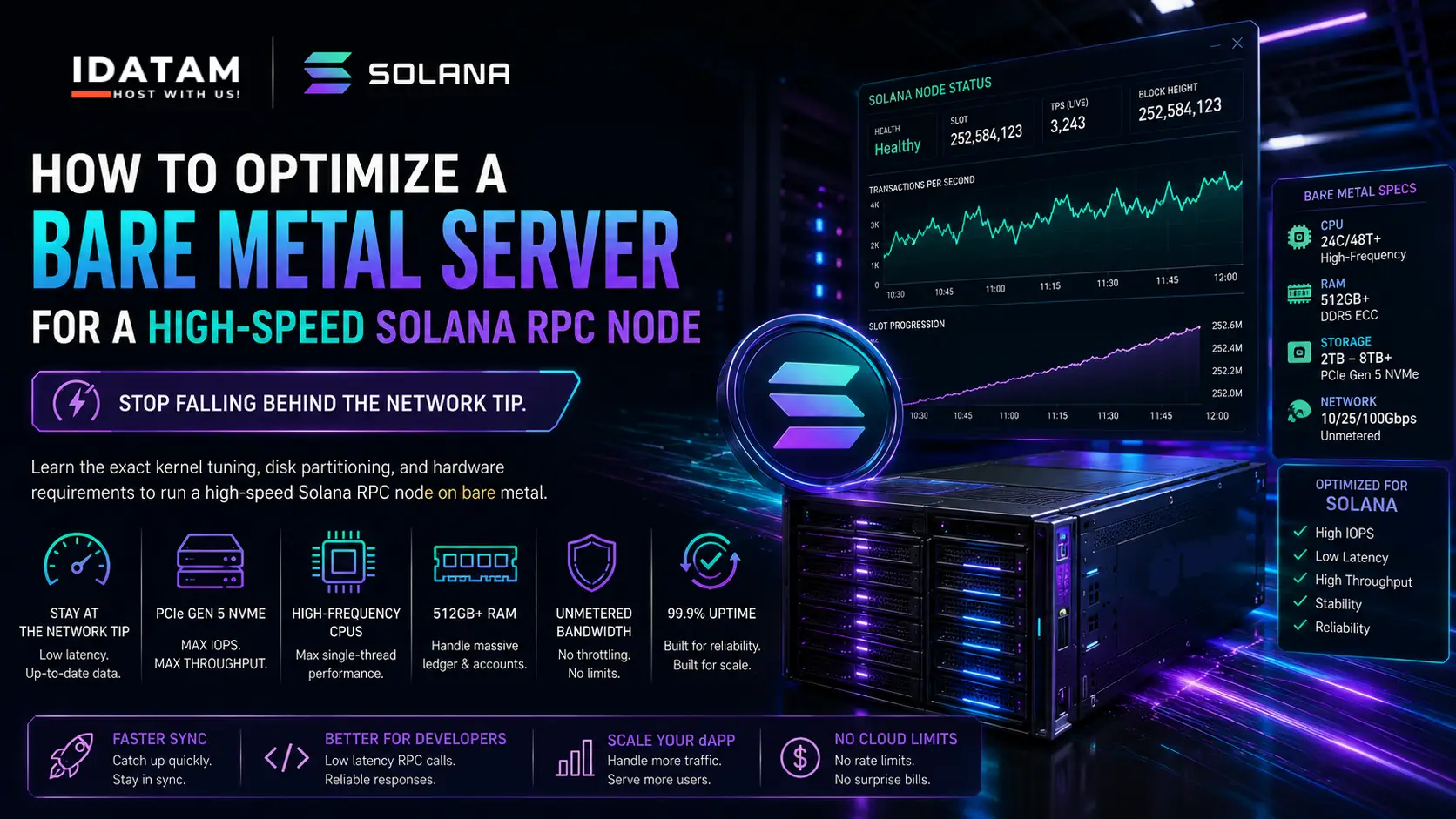
To run a reliable Solana RPC node, you must deploy on Bare Metal. By utilizing iDatam’s highest-tier Unmetered Dedicated Servers—equipped with high-frequency CPUs, 512GB+ of RAM, and multi-terabyte PCIe Gen 5 NVMe arrays—you give the Solana client the raw, unthrottled hardware it demands.
What You'll Learn
Step 1: The Hardware Prerequisites (2026 Standards)
Step 2: CPU and System Tuning
Step 3: Kernel and File Limits Optimization
Step 4: NVMe Disk Partitioning for the Accounts DB
Step 5: Install the Solana Tool Suite
Step 6: Create the Systemd Service for the RPC Node
Conclusion: Don't Choke on Network Egress
Step 1: The Hardware Prerequisites (2026 Standards)
Before typing a single command, you must verify your hardware. Solana does not gracefully degrade; if your server is too slow, the node simply crashes or falls behind.
For a production RPC node (storing a reasonable amount of historical ledger), you need:
-
CPU: 24+ cores (48+ threads) with the highest possible base clock speed (e.g., AMD EPYC 9004 series or high-frequency Intel Xeon). Solana's transaction signature verification relies heavily on single-thread performance.
-
RAM: 512 GB minimum. (256 GB is technically possible for non-voting nodes, but 512 GB prevents Out-Of-Memory crashes during peak network congestion).
-
Storage: At least TWO separate PCIe Gen 4 or Gen 5 NVMe drives.
Drive 1 (2TB+): OS, Solana binaries, and the Ledger.
Drive 2 (2TB+): Exclusively for the Accounts Database. The Accounts DB performs millions of random reads/writes per second.
-
Network: 1 Gbps sustained unmetered uplink minimum (10 Gbps highly recommended).
Step 2: CPU and System Tuning
We assume you are running a fresh installation of Ubuntu 24.04 LTS.
By default, Ubuntu uses the ondemand or powersave CPU governor, which scales down CPU frequencies to save power. Solana needs maximum power 100% of the time.
Install the CPU tuning tools:
sudo apt update && sudo apt upgrade -y
sudo apt install linux-tools-common linux-tools-generic cpufrequtils -y
Set the CPU governor to performance across all cores:
sudo cpufreq-set -r -g performance
Verify the governor is active:
cat /sys/devices/system/cpu/cpu*/cpufreq/scaling_governor
(Every core should return performance).
Step 3: Kernel and File Limits Optimization
Solana opens hundreds of thousands of files and memory-mapped regions simultaneously. The default Linux limits will cause the node to crash instantly.
Edit your sysctl configuration:
sudo nano /etc/sysctl.d/99-solana.conf
Add the following optimized parameters:
# Increase memory mapped files limit
vm.max_map_count=2000000

# Increase maximum file descriptors
fs.file-max=2000000

# Network tuning for high-throughput
net.core.rmem_max=134217728
net.core.rmem_default=134217728
net.core.wmem_max=134217728
net.core.wmem_default=134217728
Apply the changes immediately:
sudo sysctl -p /etc/sysctl.d/99-solana.conf
Next, increase the system-wide limits for the user running the node (we will assume your user is named solana):
sudo nano /etc/security/limits.d/90-solana.conf
Add:
solana soft nofile 2000000
solana hard nofile 2000000
Step 4: NVMe Disk Partitioning for the Accounts DB
The secret to a high-speed RPC node is completely isolating the Accounts database from the Ledger data.
Assuming your second, empty PCIe Gen 5 NVMe drive is /dev/nvme1n1, format it using ext4 or xfs and mount it specifically for the Accounts DB:
sudo mkfs.ext4 /dev/nvme1n1
sudo mkdir -p /mnt/solana-accounts
sudo mount /dev/nvme1n1 /mnt/solana-accounts
sudo chown -R solana:solana /mnt/solana-accounts
To ensure it mounts on reboot, add it to /etc/fstab:
echo '/dev/nvme1n1 /mnt/solana-accounts ext4 defaults 0 2' | sudo tee -a /etc/fstab
Create a directory for the ledger on your primary OS drive:
sudo mkdir -p /var/lib/solana/ledger
sudo chown -R solana:solana /var/lib/solana/ledger
Step 5: Install the Solana Tool Suite
Switch to your dedicated solana user:
su - solana
Download and install the latest stable Solana release (always check the official Solana docs for the recommended mainnet-beta version):
sh -c "$(curl -sSfL https://release.solana.com/v1.18.9/install)"
(Replace v1.18.9 with the current recommended version).
Add the Solana binaries to your PATH:
export PATH="/home/solana/.local/share/solana/install/active_release/bin:$PATH"
Step 6: Create the Systemd Service for the RPC Node
To ensure your RPC node runs reliably in the background and restarts on failure, create a systemd service file. Exit back to your root user:
exit
Create the service file:
sudo nano /etc/systemd/system/solana-rpc.service
Paste the following startup script. Notice how we explicitly map the --accounts path to our dedicated NVMe drive:
[Unit]
Description=Solana RPC Node
After=network.target

[Service]
User=solana
Environment="PATH=/home/solana/.local/share/solana/install/active_release/bin:/usr/bin:/bin"
ExecStart=/home/solana/.local/share/solana/install/active_release/bin/solana-validator \
    --identity /home/solana/validator-keypair.json \
    --known-validator 7Np41oeYqPefeNQEHSv1yXCrK9jmHjA3m5z2c1kX5jJ4 \
    --known-validator GdnSyH3YtwcxFvQrVVJMm1JhTS4QVX7MFsX56uJLUfiZ \
    --known-validator DE1bawNcRQs9VolAwwx1c8EaYus5PjQcT2xGjYJ5Pj2P \
    --only-known-rpc \
    --full-rpc-api \
    --no-voting \
    --ledger /var/lib/solana/ledger \
    --accounts /mnt/solana-accounts \
    --rpc-port 8899 \
    --rpc-bind-address 0.0.0.0 \
    --dynamic-port-range 8000-8020 \
    --entrypoint entrypoint.mainnet-beta.solana.com:8001 \
    --entrypoint entrypoint2.mainnet-beta.solana.com:8001 \
    --expected-genesis-hash 5eykt4UsFv8P8NJdTREpY1vzqKqZKvdpKuc147dw2N9d \
    --wal-recovery-mode skip_any_corrupted_record \
    --limit-ledger-size

Restart=always
RestartSec=3
LimitNOFILE=2000000

[Install]
WantedBy=multi-user.target
(Note: You must generate an identity keypair first using solana-keygen new -o /home/solana/validator-keypair.json).
Reload the systemd daemon and start your node:
sudo systemctl daemon-reload
sudo systemctl start solana-rpc
sudo systemctl enable solana-rpc
Monitor your node catching up to the network:
solana catchup --our-localhost
Conclusion: Don't Choke on Network Egress
By configuring your CPU governors, lifting kernel constraints, and dedicating a high-speed NVMe drive to your Accounts DB, your RPC node has the hardware foundation it needs to process the heaviest Solana traffic.
However, Solana nodes are incredibly "chatty." A busy RPC node can easily push several terabytes of outbound network traffic per day as it answers requests and gossips with other validators. If you host this on AWS or Google Cloud, the data egress fees will bankrupt your project within a month.
Secure your blockchain infrastructure's profitability. Deploy your Solana nodes on iDatam’s highest-tier 100Gbps Dedicated Servers to pair bleeding-edge AMD EPYC processors with completely unmetered bandwidth. Own the hardware, own the network, and stay ahead of the tip.
iDatam Recommended Tutorials

Control Panel
How to Fix Invalid cPanel License Error?
Find out how to fix the Invalid cPanel License error with this step-by-step guide. Resolve licensing issues quickly and get your hosting control panel back on track.


Control Panel
How to Install and Use JetBackup in cPanel
Learn how to install and use JetBackup in cPanel with this step-by-step tutorial. Discover how to back up and restore accounts, files, databases, and more efficiently.

Network
Remote Desktop Can’t Connect To The Remote Computer [Solved]
Learn how to fix the Remote Desktop can't connect to the remote computer error. Discover common causes such as network problems, Windows updates, and firewall restrictions, along with step-by-step solutions to resolve the issue and restore your remote desktop connection.
Discover iDatam Dedicated Server Locations
iDatam servers are available around the world, providing diverse options for hosting websites. Each region offers unique advantages, making it easier to choose a location that best suits your specific hosting needs.
