
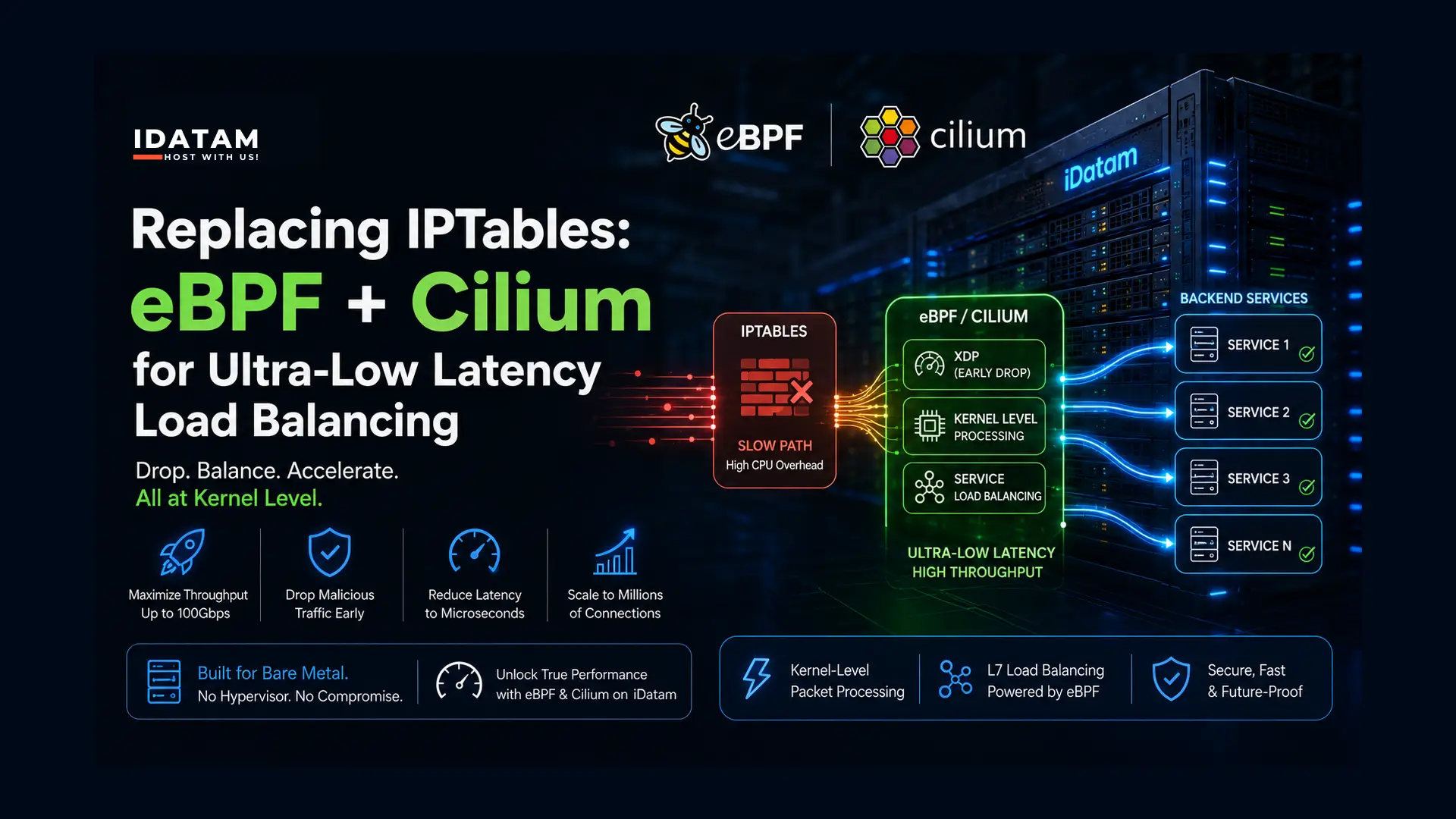
For over two decades, iptables has been the undisputed king of Linux networking. Whether you were forwarding ports, load balancing containers, or mitigating DDoS attacks, iptables (and its successor, nftables) did the heavy lifting.
But in 2026, the traditional Linux networking stack is a bottleneck. iptables processes rules sequentially; if you have 10,000 rules to route microservice traffic or block botnets, every single packet must traverse that list. When you are pushing millions of packets per second on a 10Gbps or 100Gbps link, this CPU overhead causes crippling latency.
The modern enterprise solution is eBPF (Extended Berkeley Packet Filter) and Cilium. eBPF allows you to run sandboxed programs directly inside the Linux kernel. Instead of a packet traversing the entire OS network stack, eBPF intercepts it at the network interface card (NIC) level using XDP (eXpress Data Path).
Maximize your bare-metal network throughput by dropping packets at the kernel level before they even hit your application. By deploying Cilium on an iDatam Bare Metal Dedicated Server, you achieve load-balancing performance that rivals dedicated hardware appliances, completely eliminating the hypervisor latency found in public cloud environments.
What You'll Learn
The architectural difference between legacy iptables and eBPF/XDP
Step 1: Prepare the Bare-Metal OS
Step 2: Deploy K3s (Without Kube-Proxy)
Step 3: Install the Cilium CLI
Step 4: Install Cilium with eBPF and XDP Acceleration
Step 5: Verify the eBPF Network Status
The Architectural Difference
Before jumping into the setup, it's crucial to understand why this shift is happening. Legacy iptables works by passing packets through the entire Linux TCP/IP networking stack before evaluating them against sequential lists of rules. As the rule set grows, latency increases linearly.
eBPF, specifically using XDP (eXpress Data Path), intercepts packets at the lowest possible point—right as they arrive at the Network Interface Card (NIC) driver, long before the OS kernel allocates memory for them. This allows network policies, routing, and load balancing decisions to execute in microseconds using highly optimized hash maps.
Step 1: Prepare the Bare-Metal OS
To utilize the latest eBPF features (like native load balancing and masquerading), you need a modern Linux kernel (5.10 or higher, though 6.x is highly recommended). We will use a fresh installation of Ubuntu 24.04 LTS.
Connect to your server via SSH and ensure your system is fully updated:
sudo apt update && sudo apt upgrade -y
Verify your kernel version:
uname -r
(As long as the output is 5.10 or higher, you are ready to proceed).
Install the necessary dependencies, including helm (which we will use to configure Cilium):
sudo apt install curl jq tar -y
curl https://raw.githubusercontent.com/helm/helm/main/scripts/get-helm-3 | bash
Step 2: Deploy K3s (Without Kube-Proxy)
Cilium is primarily designed as a Container Network Interface (CNI). To demonstrate its load-balancing power, we will deploy a lightweight Kubernetes distribution (K3s) on our single bare-metal server.
However, standard Kubernetes relies heavily on kube-proxy, which uses iptables to route traffic. We must disable this so Cilium and eBPF can take full control of the network.
Run the following command to install K3s with the legacy networking components disabled:
curl -sfL https://get.k3s.io | INSTALL_K3S_EXEC='--flannel-backend=none --disable-network-policy --disable-kube-proxy' sh -
Configure your kubectl environment so you can interact with the cluster:
mkdir -p ~/.kube
sudo cp /etc/rancher/k3s/k3s.yaml ~/.kube/config
sudo chown $(id -u):$(id -g) ~/.kube/config
export KUBECONFIG=~/.kube/config
If you check the node status now, it will say NotReady because the cluster has no network plugin. That is exactly what we want.
kubectl get nodes
Step 3: Install the Cilium CLI
The easiest way to install, configure, and troubleshoot Cilium is using its official command-line tool. Download and install the Cilium CLI:
CILIUM_CLI_VERSION=$(curl -s https://raw.githubusercontent.com/cilium/cilium-cli/main/stable.txt)
CLI_ARCH=amd64
if [ "$(uname -m)" = "aarch64" ]; then CLI_ARCH=arm64; fi
curl -L --fail --remote-name-all https://github.com/cilium/cilium-cli/releases/download/${CILIUM_CLI_VERSION}/cilium-linux-${CLI_ARCH}.tar.gz{,.sha256sum}
sha256sum --check cilium-linux-${CLI_ARCH}.tar.gz.sha256sum
sudo tar xzvfC cilium-linux-${CLI_ARCH}.tar.gz /usr/local/bin
rm cilium-linux-${CLI_ARCH}.tar.gz{,.sha256sum}
Step 4: Install Cilium with eBPF and XDP Acceleration
Now, we will install Cilium into our cluster. We are going to pass specific flags to Helm to enable Kube-Proxy Replacement (switching entirely to eBPF) and Native Load Balancer Acceleration (enabling XDP).
First, find the name of your primary network interface (e.g., eno1, eth0, enp3s0):
ip link show
Next, run the installation command (replace eno1 with your actual physical interface name):
cilium install \
    --set kubeProxyReplacement=true \
    --set bpf.masquerade=true \
    --set loadBalancer.acceleration=native \
    --set loadBalancer.mode=dsr \
    --set devices=eno1
What this command does:
-
kubeProxyReplacement=true: Completely bypasses iptables for service routing. -
bpf.masquerade=true: Handles Network Address Translation (NAT) at the eBPF level. -
loadBalancer.acceleration=native: Activates XDP, allowing the network card driver to process packets before the OS kernel even sees them. -
loadBalancer.mode=dsr: Enables Direct Server Return, meaning response packets bypass the load balancer and go straight back to the client, halving the network overhead.
Step 5: Verify the eBPF Network Status
Once the installation completes, verify that Cilium is running and that eBPF has successfully taken over the networking stack. Run the status check:
cilium status
Look closely at the output. You should see confirmations that both KubeProxyReplacement and XDP Acceleration are active:
...
KubeProxyReplacement:   True
...
XDP Acceleration:       Native
...
To see the raw power of what you just built, you can view the actual eBPF maps that Cilium uses to route traffic in microseconds:
kubectl -n kube-system exec ds/cilium -- cilium bpf lb list
Instead of a sequential list of thousands of iptables rules, you will see a highly optimized hash map that routes packets instantly, regardless of how many services or rules you add.
Conclusion: Hardware-Level Speeds via Software
By replacing iptables with eBPF and Cilium, you have fundamentally altered how your Linux server processes network traffic. If your server is hit with a volumetric DDoS attack, or if you are load-balancing millions of API requests, XDP will drop or route the packets in microseconds directly off the NIC.
However, eBPF is so efficient that the bottleneck immediately shifts from the CPU to the physical network cable.
If you are going to drop packets at kernel speeds, you need a pipe wide enough to handle the ingress. Pair your cutting-edge eBPF architecture with iDatam’s 100Gbps Dedicated Servers. By combining unmetered 100Gbps physical uplinks with XDP-accelerated software load balancing, you achieve true enterprise-grade network performance.
iDatam Recommended Tutorials

Control Panel
How to Fix Invalid cPanel License Error?
Find out how to fix the Invalid cPanel License error with this step-by-step guide. Resolve licensing issues quickly and get your hosting control panel back on track.


Control Panel
How to Install and Use JetBackup in cPanel
Learn how to install and use JetBackup in cPanel with this step-by-step tutorial. Discover how to back up and restore accounts, files, databases, and more efficiently.

Network
Remote Desktop Can’t Connect To The Remote Computer [Solved]
Learn how to fix the Remote Desktop can't connect to the remote computer error. Discover common causes such as network problems, Windows updates, and firewall restrictions, along with step-by-step solutions to resolve the issue and restore your remote desktop connection.
Discover iDatam Dedicated Server Locations
iDatam servers are available around the world, providing diverse options for hosting websites. Each region offers unique advantages, making it easier to choose a location that best suits your specific hosting needs.
